
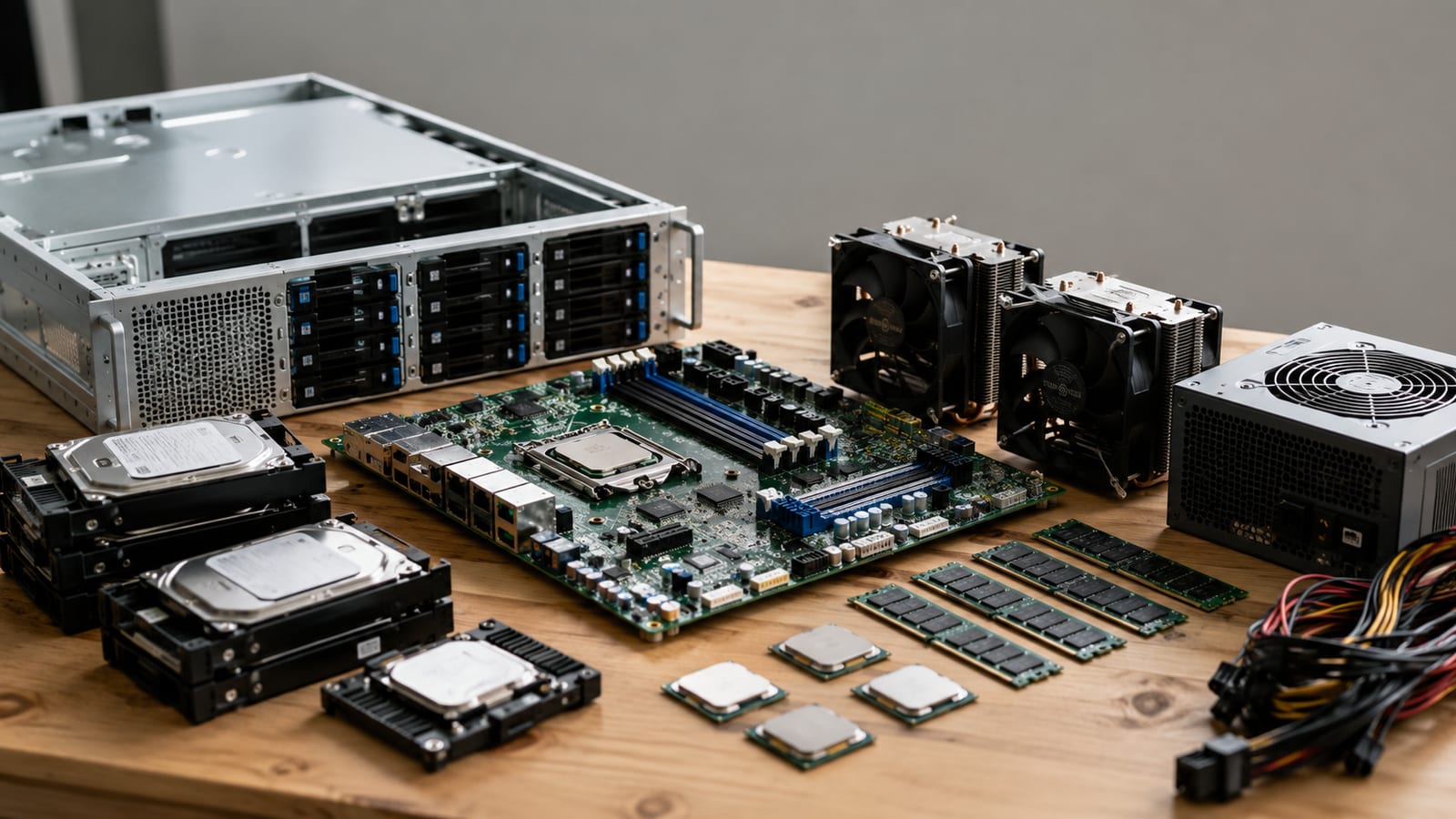

When to Build Your Own Server (and When Not To)
Build a server yourself only when you can explain, from kernel logs and vendor spec sheets, why every part is in the box. If you can't debug it at 2am, buy a pre-built or rent a cloud instance instead. Building means choosing parts with ECC memory and RAID, matching the CPU to your workload, and picking a form factor for where the box lives. Most "gaming PC as a server" builds fall over the moment they hit sustained load, or their non-ECC memory flips a bit and quietly corrupts your data. That is the whole decision, and price is not the deciding factor.
Build a server only when you can debug it
The rule is simple. Build your own server when the workload is specific enough that no stock configuration fits, and when you have the skill to root-cause failures from dmesg and journalctl instead of a forum thread.
Rent cloud or buy pre-built when uptime matters more than control, or when you cannot afford to be the only person who understands the machine. A rented VPS hands you a working kernel and someone else's remote hands. That is worth real money when the alternative is you driving to a data center at midnight.
Building shines in the home lab. You control the hardware, you break it on purpose, and you learn where the failure modes actually live. If that describes you, keep reading. If you just need a place to host one site, choosing a VPS for Linux development is the cheaper, saner path.
Do not build to save money. A well-specced server with redundant power and enterprise drives rarely undercuts a comparable rented instance over three years. You build for control and learning, not for a lower bill.
Tower, rackmount, or blade: matching form factor to deployment
Pick the form factor from where the box lives and how much noise and heat you can tolerate. Ignore what looks like a "real server."
| Form factor | Best for | The catch |
|---|---|---|
| Tower | Home lab, small office, single machine | Eats desk or floor space, no rail mounting |
| Rackmount (1U-4U) | Racks, colocation, multiple machines | 1U fans scream; needs a rack and airflow |
| Blade | Dense data center deployments | Vendor-locked chassis, overkill below ~8 nodes |
For a home lab, a tower wins. It runs quiet, takes standard parts, and cools itself without a wind tunnel. A 4U rackmount is the compromise if you own a rack but still want tower-sized coolers and airflow.
Skip blades unless you are filling a data center row. The chassis locks you to one vendor's power, networking, and management, and the economics only make sense at real density. Below eight nodes, blades solve a problem you do not have.
The mistake I see most is buying a screaming 1U for a home closet. Those tiny fans spin fast because the chassis is too thin for big ones. You will hear it through the wall.
How do you choose a processor for real workloads?
Match the CPU to the workload profile from the vendor spec sheet, not from a benchmark chart someone posted. Benchmarks measure a synthetic peak. Your workload has a shape, and the shape decides which numbers matter.
For virtualization, core count and memory channels win. More cores mean more VMs before you oversubscribe, and more memory channels feed them. Clock speed is secondary here. A 32-core part at a modest clock beats an 8-core rocket for packing guests.
For storage servers, you want plenty of PCIe lanes and support for lots of RAM, not raw compute. The CPU mostly shuffles data and runs checksums. ZFS in particular loves RAM and ECC far more than it loves gigahertz.
For single-threaded compute, high clock speed and strong per-core performance matter, and extra cores sit idle. Read the spec sheet for the specific instruction sets your software uses, for example AES-NI for encryption or AVX for numeric work. A missing instruction set turns a fast chip into a slow one for that job.
Check the actual TDP and the supported memory type before you commit. That tells you your cooling budget and whether ECC is even on the table.
Why ECC memory and RAID are not optional
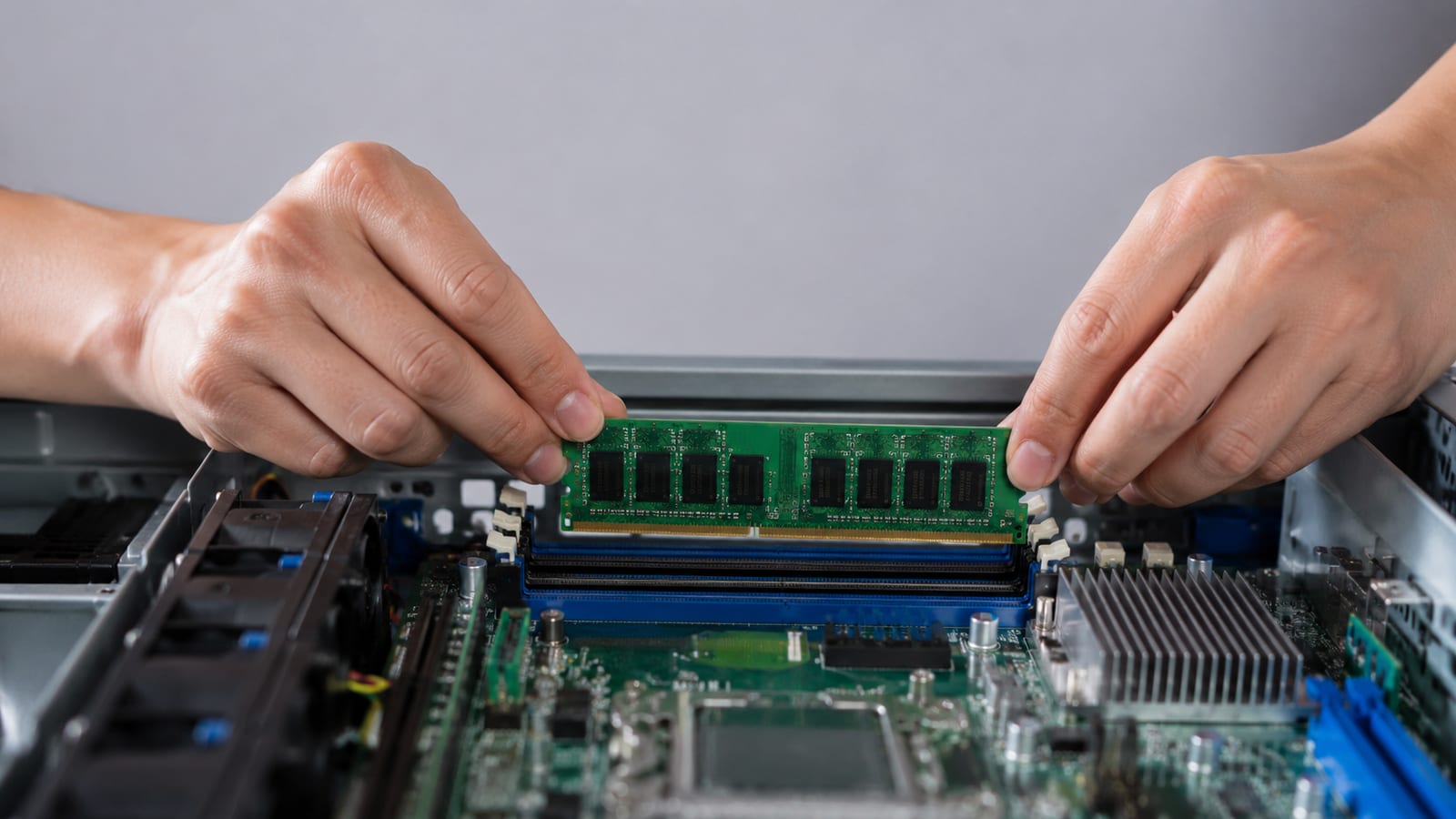
ECC memory catches single-bit errors in RAM before they reach your data. Without it, a stray bit flip corrupts a file, a database row, or a running process, and nothing warns you. The failure is silent, which is exactly what makes it dangerous. You find out weeks later when a backup restores garbage.
This is why "gaming PC as a server" builds worry me. Consumer boards and CPUs often refuse ECC entirely. The machine runs fine on the bench and quietly rots data under a month of uptime. For a server that holds anything you care about, ECC is a requirement, not a luxury.
RAID is the same argument one layer down, at the disk. A single drive will fail, and the question is only when. Redundant storage lets one disk die without taking your data with it.
RAID is not a backup, though. It survives a dead disk, but not a rm -rf or a controller that scribbles across the array. Run redundant storage for uptime and keep real backups for everything else. Both, always.
What hardware actually belongs in a budget build
Spend on the reliability-critical parts and cut everywhere else. Here is where the money goes when the budget is tight.
- CPU and board that support ECC. Used server or workstation platforms beat new consumer gear here. This is the one thing not to compromise.
- ECC RAM. Buy used registered ECC from the same generation as your platform. It is cheap on the second-hand market.
- Two or more drives for redundancy. Even a simple mirror beats a single disk. Enterprise or NAS drives over the cheapest consumer models.
- A power supply with headroom and good efficiency. Undersized power supplies fail under sustained load, which is exactly when a server is working.
Cut the graphics card, the RGB, and the fastest CPU. A headless server needs no GPU beyond basic console output. Last generation's used enterprise hardware gives you ECC, plenty of PCIe lanes, and remote management for a fraction of new prices.
The trap is a gaming PC repurposed as a server. Sure, an experienced builder can assemble one in an hour to an hour and a half, and it boots fine. But no ECC, consumer drives, and a power supply tuned for bursty gaming loads make a bad base for a machine that runs flat out for months.
How do you get enterprise reliability out of consumer parts?
Uptime comes from redundancy and visibility. Buying the priciest components does not get you there. Three levers do most of the work, and none of them is "expensive parts."
First, redundant power. A second power supply and a second feed mean a dead unit or a tripped circuit does not drop the box. If you can only manage one supply, at least put it behind a UPS so a brief outage does not become a hard crash.
Second, out-of-band management. A baseboard management controller with IPMI or Redfish gives you a second brain on the board. You get remote console, power cycling, and sensor readings even when the OS is dead. When a machine hangs at 2am, this is the difference between a click and a drive across town. Used server boards almost always include one, which is another reason to buy them.
Third, monitoring. Watch temperatures, SMART drive health, and ECC error counts before they turn into failures. A rising correctable-error count is a DIMM telling you it is about to fail. Catch it and swap the stick on your schedule, not at 3am.
Consumer parts plus these three levers outlast expensive parts with none of them. Reliability is an architecture, not a shopping list.
Home, colocation, or cloud: where to put the box
Decide by power, cooling, network, and who fixes it when it breaks. Monthly cost is not the only number that matters.
Home hosting is fine for a lab and for services no one else depends on. You own the power bill and the cooling, and you are the remote hands. A standard rack server pulls somewhere between 500 and 1200 watts, so a couple of them run a real electric bill and a real heat problem in a closet. Residential internet also gives you no uptime guarantee and often no static address worth hosting on.
Colocation buys you clean power, real cooling, and a business-grade network. You still own the hardware and the maintenance, but the facility keeps it fed and cooled. The tradeoff is remote-hands cost and a drive to the site when something needs physical touch.
Cloud removes the hardware problem entirely and hands you someone else's uptime. You pay a premium and give up low-level control, which is the right trade for production services you cannot babysit. If you are running web workloads there, spend your effort on tuning the web server on the VPS instead of on hardware.
The honest split: lab at home, own hardware you care about in colocation, production you cannot afford to lose in the cloud.
How do you diagnose a server that won't behave?

Read the logs before you touch a config or swap a part. The kernel usually already told you what broke, and guessing from forum posts is how you fix the wrong thing twice.
For a machine that will not boot, get to a shell and read dmesg -T | tail -30. A hung mount, a bad line in /etc/fstab, or a drive that enumerated late all show up there in plain text. Fix the one wrong line rather than reinstalling the OS over a config typo.
For thermal throttling, the symptom is a server that runs fast then crawls under load. Check dmesg for thermal messages and read the sensors through your BMC. A CPU pinned at its temperature limit is telling you the cooler, the airflow, or the fan curve is wrong. That is a cooling fix, not a CPU fix.
For flaky drivers or hardware, journalctl -b -p err shows only errors from the current boot, and journalctl -b -1 reads the boot before a crash. Pair either with --since "10 min ago" so you can tie a log line to the moment something broke. If a process itself misbehaves, strace -f -p <pid> shows the exact syscall that returns the error and the failing file descriptor.
The whole point is a reproducible root cause. Understand the failure or it comes back next week.
FAQ
Do I need ECC memory for a home lab, or only for production?
Use it anywhere data matters, lab included. The silent corruption ECC prevents does not care whether the machine is labeled production. If your lab holds VMs, code, or anything you would hate to restore from a stale backup, buy the ECC platform. It is cheap used and it removes an entire class of bug you cannot otherwise see.
Which RAID level should a first server use?
Start with a mirror for two drives or RAID 6 for four or more. A mirror is simple and rebuilds fast. RAID 6 survives two simultaneous drive failures, which matters because a second drive often dies during the stressful rebuild after the first. Skip RAID 5 on large modern drives; the rebuild window is long enough that a second failure is a real risk.
Can I run a quiet server in a bedroom or closet?
Yes, if you choose a tower with large slow fans and skip 1U rackmounts. Thin chassis force small high-RPM fans that whine. A tower cooler moving the same air at a lower speed is much quieter. Watch heat too, since a closed closet turns into an oven under sustained load and shortens the life of everything inside.
How much power will a home-built server actually draw?
It depends on the parts and the load, so measure it with a plug-in meter rather than trusting the power supply rating. The supply's wattage is a ceiling, not a draw. A modest home build idles far below its rating and only approaches it under full CPU and disk load. Measure yours before you size a UPS.
What is the single most common mistake in a first build?
Skipping out-of-band management. Without a BMC, a hang means physical access, and physical access at a bad hour is exactly when you do not have it. Buy a board with IPMI or Redfish, confirm the remote console works before you deploy anything, and you save yourself the worst part of running your own hardware.
