
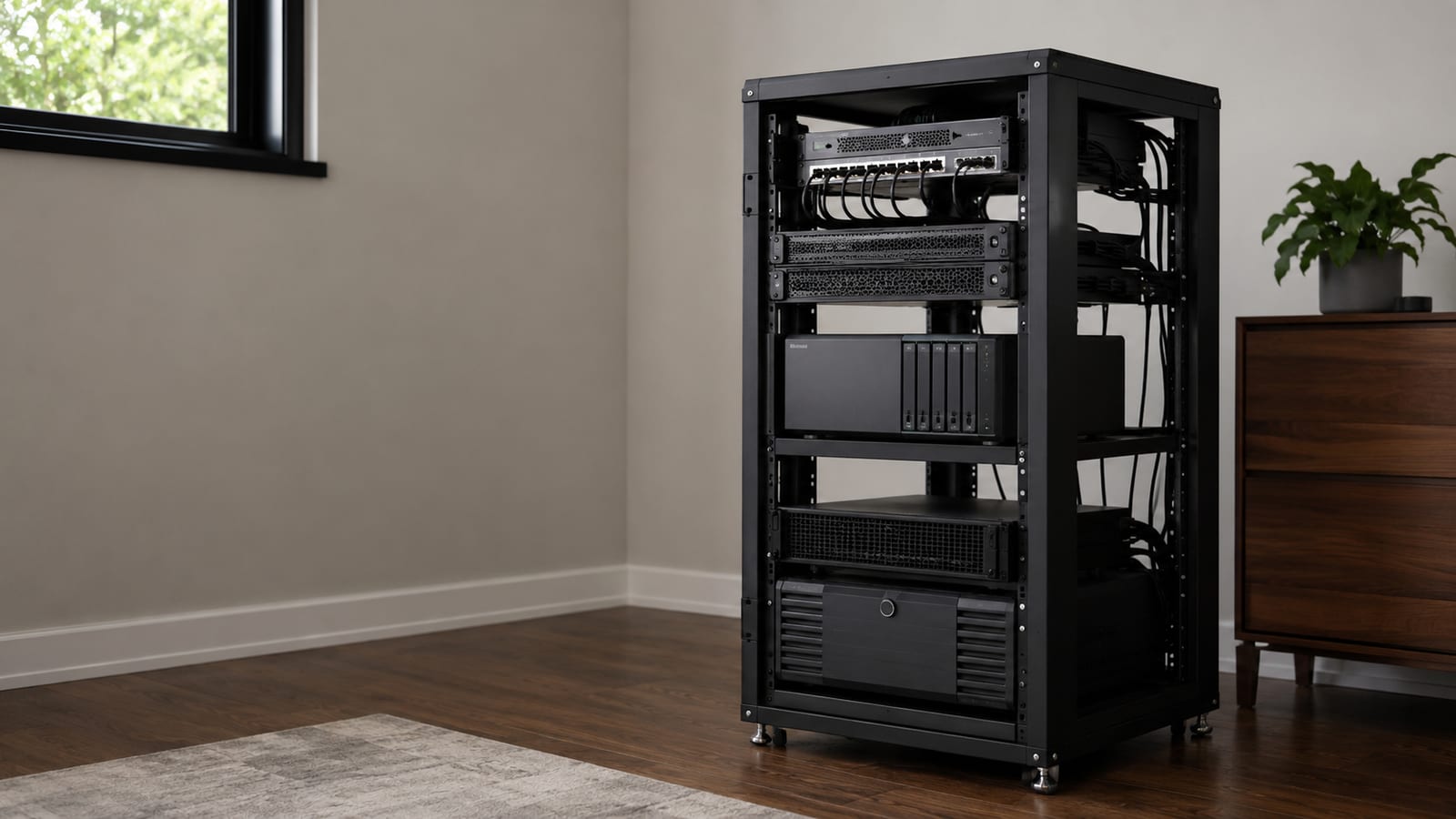

How to Choose a Server Rack That Actually Fits
Buy a server rack for the hardware you actually need, not the hardware you hope to own later. An open two-post rack suits patch panels and lightweight switches; an open four-post rack suits a home lab; an enclosed four-post cabinet suits servers, storage, and power gear; a wall-mount cabinet suits compact network equipment. At the CERN Data Centre in Meyrin, Switzerland, the average IT load was 4.14 MW in 2021, with about 37 GWh of total energy consumption that year. A rack gives servers, switches, storage, and power gear a shared mechanical frame, a controlled airflow path, and a sane place for cables. It also gives you a large metal box that can amplify heat, noise, and bad planning.
What is a server rack, and what does it standardize?
A server rack is a frame or cabinet built around standardized equipment mounting dimensions. Most rack equipment uses the 19-inch equipment series, so servers, switches, patch panels, power distribution units, and shelves can share the same mounting space.
The standard covers the mechanical interface. That means front panel dimensions, mounting holes, subrack sizes, chassis interfaces, and related hardware can line up across manufacturers. The IEC 60297-3 series describes this equipment practice.
That does not mean every rack device fits every rack without checking. The standard does not choose your cabinet depth, rail adjustment, cable path, airflow direction, power connectors, or door clearance. A 19-inch switch can still be too deep for a shallow cabinet, and a server rail can still refuse to mount because the rack uses the wrong hole style.
A few terms matter:
- Rack unit, written as
U, is the vertical space used by rack equipment. - Front panel is the visible equipment face and its mounting flanges.
- Chassis is the equipment enclosure that mounts in the rack.
- Subrack is a structural frame designed to hold boards or smaller chassis.
- Rail is the hardware that supports equipment from the front, rear, or both.
- Cabinet is an enclosed rack with doors and usually removable side panels.
- Open frame rack has the mounting posts but no enclosing shell.
The rack standard solves alignment and mounting. It does not solve cooling, power, weight, noise, or maintenance. Those are the problems that make a rack useful or miserable.
The standard stops at the mounting interface
A rack is not a compatibility guarantee. Treat the mounting standard as the first check, not the last one.
Front panel dimensions
The front panel must match the rack opening and mounting pattern. Equipment made for the 19-inch series usually has mounting ears or flanges that attach to rack posts.
Check whether the panel needs:
- Square holes with cage nuts
- Round holes for threaded hardware
- Threaded rails
- Tool-less mounting points
- A separate shelf or support bracket
Do not assume the screws included with a server will fit the rack. A cabinet with square holes usually needs cage nuts. A threaded rack may need a different fastener. This is a small detail that stops installation before the first machine reaches the rails.
Subrack and chassis dimensions
A chassis can meet the front-panel standard and still fail in the cabinet. Depth is the usual offender.
Measure the equipment from the front mounting surface to the rear connectors, not just the metal box. Leave room for power plugs, network cables, fiber bend radius, rail movement, and airflow. A cabinet that fits the chassis but crushes the cable bundle is not a fit.
Some equipment also expects rear rails. That matters for heavy servers and storage systems. Front ears alone are not a suspension system. The screws will hold until they do not.
Mechanical structure and equipment practice
The mounting pattern makes it possible to combine equipment from different vendors. That is the point of standardization.
However, vendors still differ in:
- Rail depth
- Rail release mechanisms
- Cable arm design
- Handle placement
- Airflow direction
- Power inlet position
- Required support weight
- Service clearance
Read the installation guide for each device before you buy the cabinet. A product page that says “rack mountable” tells you almost nothing about the rack it needs.
Which rack type fits your hardware?
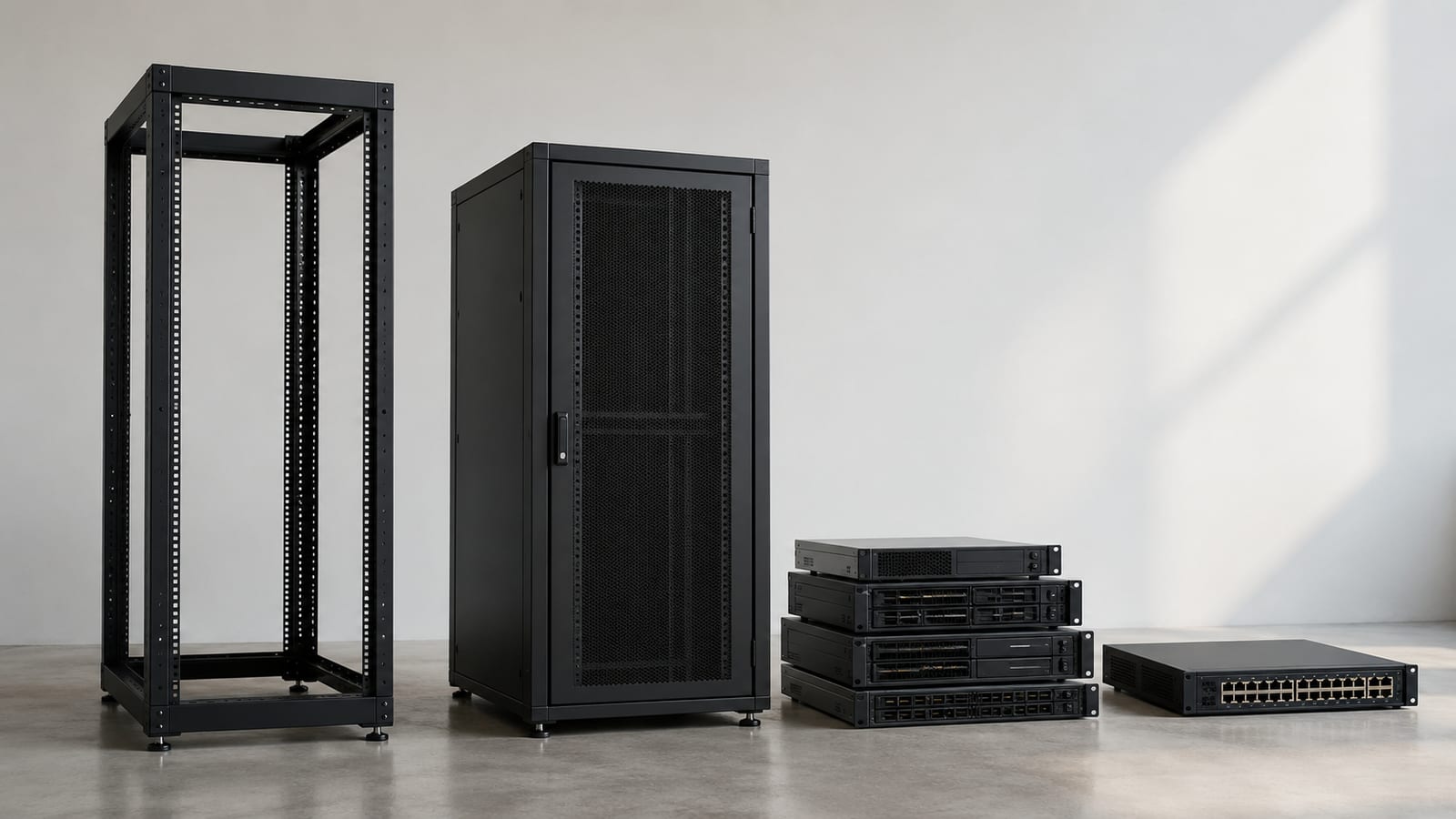
Choose the frame around the hardware and the room. Do not buy a cabinet first and hope the equipment will cooperate.
| Rack type | Good fit | What it gets wrong |
|---|---|---|
| Open two-post rack | Patch panels, lightweight switches, telecom gear | Poor support for deep or heavy servers |
| Open four-post rack | Home labs, network gear, equipment that needs easy access | No dust control, weak noise control, limited physical security |
| Enclosed four-post cabinet | Servers, storage, power gear, offices, controlled airflow | Heavier, harder to move, and more expensive |
| Wall-mount cabinet | Small network installations and compact edge gear | Limited depth, weight, and expansion |
| Rack shelf in a cabinet | Small computers, appliances, and non-rack equipment | Consumes space and often blocks airflow |
| Rolling cabinet | Equipment that must move for service | Casters add risk unless the cabinet is stable and leveled |
An open frame is usually the right answer for a quiet network lab with switches and patch panels. It gives you access from every side and does not trap heat.
An enclosed cabinet makes more sense for servers, storage, or equipment that needs controlled front-to-back airflow. Doors and side panels also keep curious hands away from live power gear. They do not make the room quiet. Fan noise still leaves through every cable opening.
A wall cabinet is where people put hardware they have not measured. It works for compact network equipment. It becomes a bad idea when you add deep servers, a large power distribution unit, or anything that needs rear service access.
If you have one small computer and a switch, skip the cabinet. A shelf is cheaper, quieter, and easier to service. Read build your own server before turning a small project into furniture.
Check dimensions before you buy
Start with the equipment list. Write down every device, its rack-unit height, its depth, its weight, its rail requirements, and its airflow direction.
Then check the cabinet itself:
- Usable mounting height
- Usable depth between the front and rear rails
- Door clearance
- Side-panel clearance
- Rail adjustment range
- Maximum supported weight
- Hole type and included hardware
- Cable openings at the top, bottom, and rear
- Space for a power distribution unit
- Access to rear connectors
- Casters, leveling feet, and floor anchoring options
The outside dimensions are not the usable dimensions. Doors, rails, cable managers, and rear brackets consume space inside the cabinet.
Also measure the path into the room. A cabinet can fit the final location and still fail at the stairs, doorway, elevator, or sharp corner. Rack builders learn this once. After that, they measure the route before ordering steel.
What should you reserve space for?
Group equipment by what it needs, not just by how tall it is.
- Put network equipment where patch cables stay short.
- Keep storage and servers where their airflow matches the cabinet.
- Place power gear where it can reach every device without crossing hot exhaust.
- Leave service access around equipment that needs frequent replacement.
- Keep heavy hardware low.
- Reserve space for cable managers and blanking panels.
Do not fill every rack unit because empty space looks wasteful. Empty space gives you room to route cables, replace hardware, and stop a minor upgrade from becoming a teardown.
Measure the rails, not the marketing copy
The phrase “fits standard racks” usually refers to the front mounting interface. It may not cover the rail depth or rear support.
Before buying, confirm:
- The equipment has compatible front mounting points.
- The included rails adjust to the cabinet depth.
- The rail kit supports the equipment weight.
- The rear cable arm does not collide with the cabinet door.
- The power and network connectors remain reachable.
- The equipment does not require side airflow that the cabinet blocks.
If the manufacturer sells separate rails, budget for them. A universal shelf is not a substitute for a proper rail kit on heavy equipment.
Airflow and power decide whether the rack works
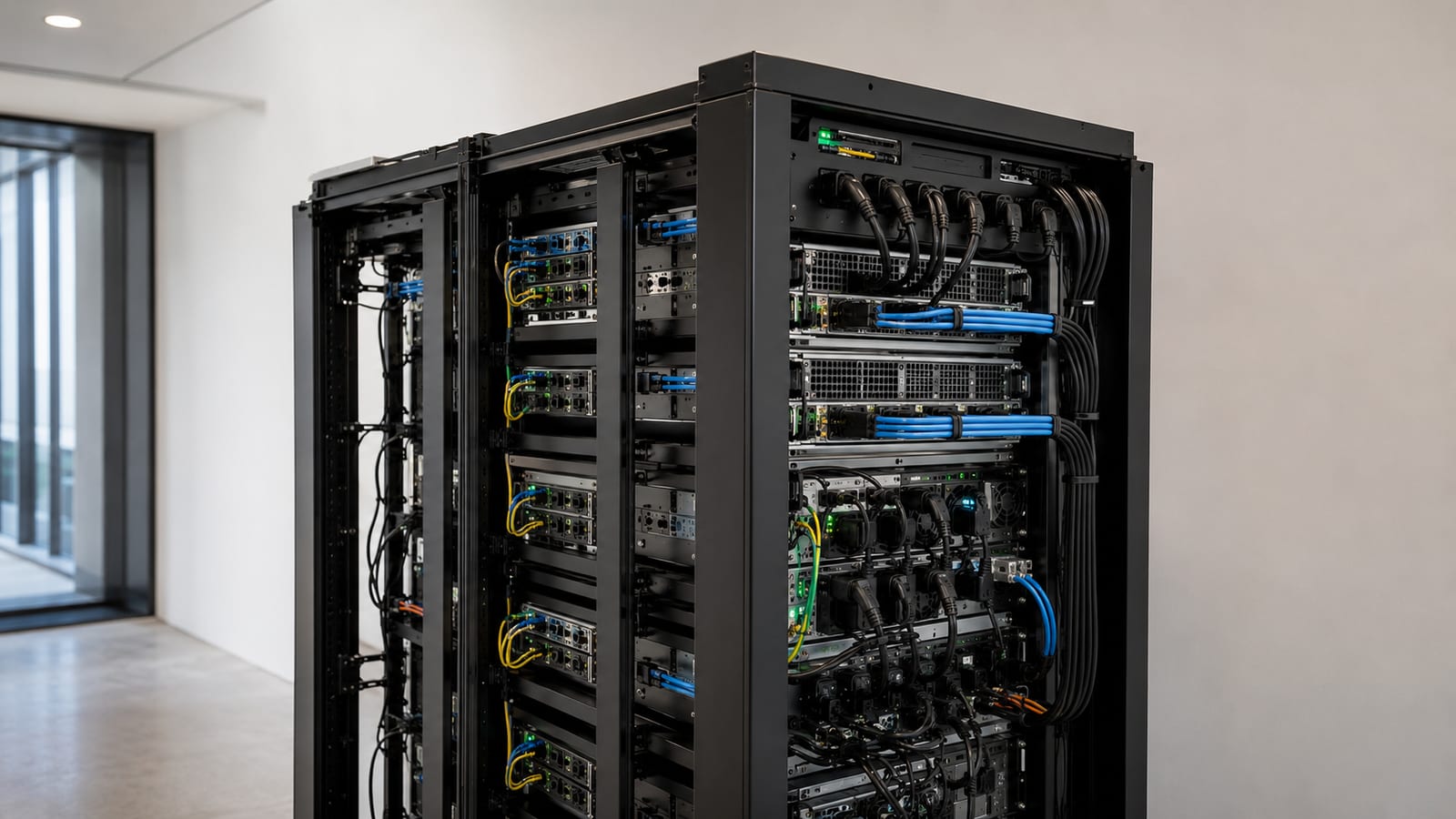
Most server equipment expects cool air at the front and warm air out the rear. That airflow path fails when you face devices in opposite directions or leave empty spaces that let hot exhaust recirculate.
Use blanking panels in unused front spaces. Keep front intakes clear. Do not route a cable bundle across a fan inlet because the cabinet has nowhere else to put it. The fan will not negotiate.
Power needs the same planning.
A power distribution unit, or PDU, distributes power inside the rack. It does not replace the building circuit, an uninterruptible power supply, surge protection, or a safe grounding path.
Plan for:
- The number and position of outlets
- Plug orientation
- Power cable length
- Separate power paths where the hardware supports them
- UPS placement
- Service access
- Heat from power equipment
- A clear path to the circuit breaker
Do not hide the PDU behind equipment and call the job finished. You need to reach it during a failure, and you need to know which outlet feeds which device.
The scale can become hard to picture. CERN's installation is a facility-scale example of what happens when racks become an operating system for power, cooling, and service work.
Your home lab is not CERN. The lesson is still useful: the rack is part of the thermal and electrical system. It is not a decorative frame for servers.
Cable management is part of the design
Cables need a path before the equipment goes in. Otherwise the rear of the cabinet becomes a knot that prevents service.
Use vertical cable managers where the cabinet supports them. Keep data cables away from fan openings and power connectors where practical. Label both ends of important cables, especially uplinks, storage paths, and management connections.
Separate cables by job:
- Power cables
- Copper network cables
- Fiber cables
- Console cables
- Storage and backplane connections
- Management interfaces
Do not pull every cable tight. Servers move on rails, and a tight cable becomes a damaged connector when someone slides the chassis forward. Leave enough slack for service, but do not leave loose loops blocking exhaust.
Patch panels belong near the switch ports they serve. That keeps permanent room cabling separate from short equipment patch cables. It also makes a failed switch easier to replace without touching the building cabling.
For a network-heavy home lab, a good switch can matter more than the cabinet. See PoE switches for home labs before you spend money on a rack that has nothing sensible to mount in it.
What does a rack cost you beyond the cabinet?
The cabinet is only the visible purchase. The operating cost comes from everything attached to it.
Heat
Every powered device turns electrical energy into heat. More servers mean more cooling work, even if the rack itself has no active cooling.
A cabinet can improve airflow discipline. It cannot lower the heat produced by the hardware. If the room is already warm, adding doors and dense equipment makes the failure arrive sooner.
Noise
Rack servers use small fans that can spin hard under load. An enclosed cabinet may reduce the direct path of the sound, but it does not silence the machines.
Do not place a server rack in a bedroom, office, or shared living space unless you have already accepted the noise. A quiet mini PC on a shelf often beats a loud rack server for development work.
Weight and floor load
Servers, storage shelves, batteries, and power equipment add up quickly. Put heavy equipment low and use the cabinet's leveling feet.
Tall cabinets may also need anchoring. A cabinet that moves when you pull out a server is not stable enough. Casters help with installation and hurt with careless service.
Security
An enclosed cabinet slows casual access. It does not replace locked rooms, access control, or proper operating system security.
If the rack is in a shared space, a lockable door is useful. If the rack is in a controlled server room, the door may matter less than airflow and service access.
Maintenance
A rack makes repeatable maintenance possible. It also gives you more devices to maintain.
You need a plan for:
- Firmware updates
- Drive replacement
- Spare cables
- Rail failures
- UPS battery replacement
- Dust cleaning
- Asset labels
- Console access
- Out-of-band management
A rack without labels becomes a metal version of a junk drawer.
CERN and Frontier show the scale range
The same mechanical idea works for a small lab and a major computing facility. The surrounding power, cooling, and service systems are what change.
The CERN Data Centre in Meyrin, Switzerland, uses server-rack infrastructure at a scale where power consumption is a facility concern. That figure belongs to the CERN Data Centre, not to a normal rack and not to a home lab.
Frontier, the supercomputer at Oak Ridge National Laboratory in Tennessee, is installed in 74 HPE Cray EX cabinets. That is a cabinet installation, not a claim about every Frontier component or every rack in the facility.
These examples show why “server rack” can mean two different things in practice. For one person, it is a cabinet holding a switch, firewall, and a few hosts. For a national laboratory, it is part of a coordinated power, cooling, networking, and service system.
The mounting standard stays familiar. The consequences of getting the surrounding system wrong become much larger.
Who should use one, and who should skip it?
A rack makes sense if you have several rack-mount devices, need repeatable cabling, want front-to-back airflow, or expect regular hardware changes.
It is also useful for a home lab when the lab is becoming a real environment instead of a pile of unrelated machines. If you are testing routing, virtualization, storage, and monitoring together, the rack gives those systems a fixed place and a fixed wiring plan.
For virtual network work, OpenWRT on Proxmox may save you from buying hardware you do not need. A rack does not make a virtual lab better. It only gives physical equipment somewhere to live.
Skip a rack when:
- You have one small computer.
- None of your equipment mounts to rails.
- The room cannot handle the noise.
- You cannot provide safe power.
- You need to move frequently.
- You are buying the cabinet before choosing the hardware.
- A shelf would solve the problem with less heat and less cost.
For web hosting, a rack at home is often the wrong answer. A VPS or managed host avoids the power, cooling, connectivity, and hardware replacement work. Compare that option with choosing a VPS for Linux development before you build a private data center around one service.
The right rack is the smallest one that supports your equipment, airflow, power, and maintenance plan. Anything larger becomes storage for future mistakes.
FAQ
Can any 19-inch device fit in any server rack?
No. The front mounting interface may match while the depth, rails, cable clearance, or airflow does not. Check the equipment rail guide and the cabinet's usable depth before buying.
Do I need a rack cabinet for a home lab?
No. An open frame or shelf may be better for a small lab. Choose an enclosed cabinet when you need physical security, controlled airflow, dust protection, or cleaner cable routing.
Can I put a tower server on a rack shelf?
You can, if the shelf supports the weight and leaves the server's air inlets and exhaust clear. However, a tower on a shelf consumes rack space and often has worse service access than a proper rack chassis.
Should network switches go at the top or bottom?
Put them where cable paths stay short and service remains easy. In many installations, switches sit near the patch panels they serve, while heavy servers and storage stay lower for stability.
Is a used server rack worth buying?
It can be. Inspect the rails, doors, casters, cage nuts, grounding points, and cable openings before you move it. A cheap cabinet with missing rail hardware can cost more to make usable than a simpler new frame.
