


Build OpenWrt eBPF: Kernel Config & Toolchain Guide
OpenWrt runs eBPF, but not out of the box on most targets. Stock firmware ships with the kernel BPF options stripped to save flash, so you build your own image with CONFIG_BPF and friends turned on, then flash it. This is a rebuild-and-reflash job, not a runtime toggle you flip over SSH. My goal here is one thing: build an OpenWrt eBPF toolchain end to end, compile it, flash it, and verify it on real hardware with no guesswork.
Last updated: 2026-07-21
The steps I use: enable CONFIG_BPF, CONFIG_BPF_SYSCALL, CONFIG_NET_CLS_BPF, and CONFIG_NET_ACT_BPF in the kernel through make menuconfig. Then I install build dependencies on my Linux host, clone the official repo, and run make -j$(nproc). After I flash the image from bin/targets, I SSH in, run opkg update, install bpftool, and confirm support with bpftool prog list.
Does your router's hardware actually support eBPF?
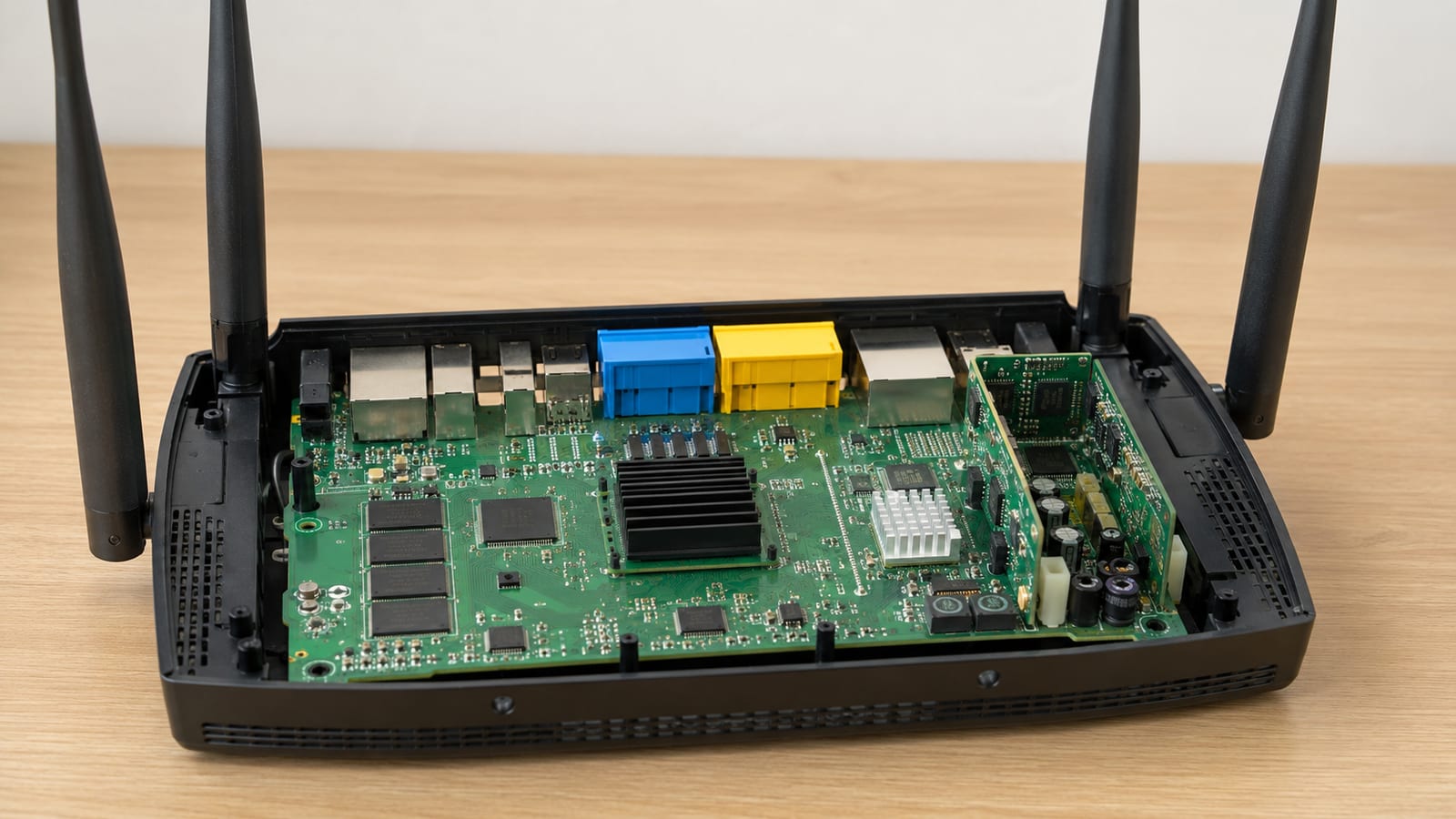
Check RAM and flash before anything else, because eBPF on a router is cheap on the kernel and expensive on your storage budget. Any current OpenWrt release runs a kernel new enough for eBPF, so the kernel version is almost never your blocker. The blocker is space.
A classic 4/32 device (4 MB flash, 32 MB RAM) has neither the flash for the extra kernel code nor the RAM for maps and the verifier. Do not fight this. Those boards struggle to hold a modern base image, let alone bpftool and a program with a few maps. If your router has a comfortable amount of RAM and several MB of free flash after the base image, you have room to work.
CPU matters too, but differently. A small MIPS or low-end ARM core will run eBPF fine for tracing and light filtering. It will choke if you push heavy per-packet logic in generic mode, where the packet has already climbed the stack before your program sees it. Pick the hook with your core in mind, which I cover below.
What does eBPF actually do once it runs on a router?
It lets you run small, verified programs inside the kernel at chosen hook points, without patching the kernel or writing a module. On a router that buys you three practical things: packet filtering and rewriting at the network path, live tracing of what the kernel is doing, and cheap counters and metrics pulled straight from the datapath.
The safety story is real and worth understanding. The in-kernel verifier rejects any program that could loop forever, read out of bounds, or crash the box. If it loads, it cannot take the kernel down. The JIT compiler then turns your bytecode into native instructions, so it runs close to compiled C speed. That combination is why eBPF is worth the build effort instead of iptables gymnastics.
For real workloads, packet capture, traffic accounting, and custom routing are the usual jobs. I have written up several of these separately if you want a concrete target: capturing packets on OpenWrt with eBPF and monitoring traffic with eBPF both start from the toolchain this guide builds.
How do you check whether eBPF is already in your kernel?
Read the running kernel's config instead of guessing. On a device where the kernel exposes it, run this first:
zcat /proc/config.gz | grep -i bpf
That prints every BPF-related option and whether it is =y, =m, or # ... is not set. If /proc/config.gz is missing, your kernel was built without CONFIG_IKCONFIG_PROC, so check the .config in your OpenWrt build tree instead. What you are looking for is CONFIG_BPF_SYSCALL=y. If that line says "is not set", user space cannot load programs at all, and no amount of installing bpftool will change that.
Do not trust a successful opkg install bpftool as proof of support. The package installs happily on a kernel that lacks the syscall. You will only find out when the loader fails, which is exactly the wrong time.
Which CONFIG_BPF flags actually matter?
The CONFIG_BPF flag must be enabled in the OpenWrt kernel, and it is the gate everything else sits behind. Missing one of the dependent flags is the classic failure: the build succeeds, the tool loads, and one specific attach type silently returns an error you then waste an evening on.
Here is what each flag gates and what breaks without it:
| Flag | What it enables | What breaks if missing |
|---|---|---|
CONFIG_BPF | Core eBPF infrastructure | Nothing works; this is the master switch |
CONFIG_BPF_SYSCALL | The bpf() syscall user space uses to load programs and maps | bpftool and libbpf cannot load anything |
CONFIG_BPF_JIT | Native compilation of bytecode | Programs run interpreted and slower |
CONFIG_NET_CLS_BPF | Attaching programs as a traffic classifier on TC | TC filter attach fails |
CONFIG_NET_ACT_BPF | eBPF actions in the TC action pipeline | TC action attach fails |
Turn on all five. The two TC flags are the ones people forget, because a program loads fine without them and then refuses to attach. If you want XDP specifically, that rides on the driver and the core flags, but TC is where most router filtering actually lives.
How do you enable eBPF in the OpenWrt kernel configuration?
From the top of your OpenWrt tree, run make menuconfig and select your target and profile first. Then dig into the kernel options. The BPF settings live under the kernel config, which OpenWrt surfaces through make kernel_menuconfig for the deeper flags that the top-level menu does not expose.
The reliable path I use is to set them explicitly. After selecting the target, run:
make kernel_menuconfig
Navigate to General setup and enable the BPF subsystem, then under Networking options enable the classifier and action flags. Save and exit. If you prefer, add the lines directly to the target's kernel config fragment so they survive a make dirclean, which otherwise wipes menuconfig choices you made by hand.
Built-in versus module is a real choice here. I build the core BPF options in (=y) rather than as modules. Built-in means the feature is always present at boot with nothing to load and nothing to forget in /etc/modules.d. The full walkthrough lives in my kernel config guide for enabling eBPF if you want the click-by-click version.
How do you build custom OpenWrt firmware with eBPF?
Install the build dependencies on a Debian or Ubuntu host first, because a missing package fails the build halfway and the error is rarely obvious:
sudo apt-get install build-essential git libncurses5-dev gawk gettext unzip file zlib1g-dev
Then clone the official source and set up the package feeds:
git clone https://git.openwrt.org/openwrt/openwrt.git
cd openwrt
./scripts/feeds update -a
./scripts/feeds install -a
Run make menuconfig, pick your target and profile, and add bpftool and the libbpf userspace package so they land in the image. Keep the package set minimal so the image stays small. Save the .config, then start the compile with make -j$(nproc). The official OpenWrt build system documentation is the reference I keep open for target names and feed quirks.
Watch the early log lines. Most build failures are a missing host package or a feed that did not install, and they show up in the first few minutes, not at the end. If the build dies, read the actual error instead of running make dirclean and starting over. A full clean rebuild costs you an hour and usually fixes nothing you could not have fixed in place. Reserve make dirclean for when you change target or core components.
The finished image sits under bin/targets/<target>/<subtarget>/. Match the exact file to your device profile before you flash it.
How do you confirm eBPF works after flashing?
Flash the sysupgrade image, keep your settings if the version supports it, then SSH in and prove the kernel actually has BPF. Run bpftool prog list first. On a clean box with nothing loaded it prints an empty list and exits zero, and that empty-but-working result is the point: the tool talked to the kernel through the bpf() syscall and got a valid answer.
If instead you get an error about the syscall or a permissions failure as root, the kernel was built without CONFIG_BPF_SYSCALL. Go back and check your config. A build that completed is not the same as a build that enabled what you asked for.
Cross-check with the kernel ring buffer. Run dmesg | grep -i bpf to see JIT and subsystem messages from boot. When you later load a program and it misbehaves, strace -f on your loader shows the exact bpf() call and its return, which tells you whether the failure is the load, the verifier, or the attach. That one distinction saves real time.
How do you use eBPF for packet filtering and monitoring?
Attach a small program at TC ingress for filtering, or XDP for the earliest possible drop. The toolchain you built compiles a C program to a BPF object with clang, and bpftool or a libbpf loader attaches it to the interface. For a first program, filtering by protocol or counting packets per source into a map is the honest starting point, not a full firewall.
Maps are how kernel and user space talk. Your program writes counters or verdicts into a BPF map, and a user-space reader pulls them out with bpftool map dump. That is your entire monitoring loop: program counts in the datapath, user space reads and graphs.
Choose the hook with your CPU in mind. XDP native runs in the driver before the kernel builds an sk_buff, so it is fastest but needs driver support. XDP generic works anywhere but runs later and costs cycles. TC ingress sees the packet after the driver and gives you the most flexibility for classification. For a dedicated packet-drop layer I use XDP, covered in my XDP firewall setup; for accounting and routing logic, TC is usually the right call.
When a loaded program does not behave, do not stare at your C. Read the verifier log that bpftool prints on load failure, and check dmesg for the reason the kernel rejected or dropped it. The verifier error names the exact instruction and register it choked on. That tells you the real problem, and it is reproducible, which means you can actually fix it instead of guessing.
FAQ
Can I add eBPF to an existing OpenWrt install without reflashing?
No. The BPF options are compiled into the kernel, and the kernel is baked into the firmware image. Installing opkg packages cannot add a kernel feature that was left out at build time. You build a new image with the flags enabled and flash it. There is no shortcut, and any guide that implies one is selling you a package that will fail to load.
Why does bpftool install fine but my program still fails to load?
Because the package and the kernel feature are separate things. opkg will install bpftool on a kernel with no CONFIG_BPF_SYSCALL, and the tool only errors when it tries the actual bpf() call. Confirm the syscall with zcat /proc/config.gz | grep BPF_SYSCALL before you blame your code. An empty bpftool prog list that returns zero is your proof the kernel side works.
Should I build BPF options as modules or built-in?
Built-in, in my experience. Setting the core flags to =y means the feature is present the moment the box boots, with nothing to autoload and nothing to break in your module config. Modules only earn their keep when flash is so tight you must keep the base kernel minimal, and on a router that tight you probably should not be running eBPF anyway.
Which hook is fastest for dropping packets, XDP or TC?
XDP in native driver mode, because it runs inside the driver before the kernel allocates a socket buffer. TC ingress sees the packet slightly later but gives you richer classification. XDP generic works on any interface yet costs cycles, so treat it as a fallback for testing, not a performance path. Match the hook to your driver support and your CPU headroom.
What kills most first-time OpenWrt eBPF builds?
A missing host package or a feed that never installed. Both fail early and both are easy to miss if you scroll past the log. Read the first error, install the named dependency, and continue the build in place. Wiping the tree with make dirclean on every failure just burns an hour and rebuilds the same broken state.
