

Kernel Panic Explained: Causes, Clues, and Fixes
A kernel panic is a fatal error in the operating-system kernel. Linux can no longer safely continue, so it halts, freezes, or reboots. Find the failing code, driver, hardware, filesystem, or boot path in the panic message and logs. Reinstalling the kernel diagnoses nothing.
Last updated: 2026-08-21
What is kernel panic?
A kernel panic means the kernel reached a state it could not trust. It stopped normal operation because continuing could corrupt memory, write bad data, or damage the filesystem.
The kernel runs below ordinary applications. It manages memory, processors, storage, devices, filesystems, and processes. If a browser crashes, the kernel can kill that one process and keep the machine running. If the kernel crashes, the component needed to manage that recovery has failed.
That is why a kernel panic affects the whole machine. You may see a frozen screen, a printed panic trace, an emergency shell, or an automatic reboot. The exact behavior depends on the kernel configuration, the distribution, and how far the system got during boot.
A kernel panic isn’t one specific bug. It’s the kernel’s final response to an unrecoverable failure. The message above it tells you which failure you actually have.
What a kernel panic does
The kernel detects a condition that normal error handling cannot safely recover from. It records diagnostic information, stops or limits normal work, and then follows its configured panic behavior.
The machine might:
- Freeze with the panic message still on screen
- Halt with no further input
- Reboot automatically
- Enter an emergency environment during early boot
- Save a crash dump before restarting
- Send the final messages to a serial console or another host
A panic during normal operation may leave enough of the system running to write logs. A panic during early boot may happen before the root filesystem is mounted. That difference decides whether journalctl can help or whether you need console output, kdump, or a live system.
Linux also has related failures that don’t always stop the machine immediately. A kernel warning may log a problem and continue. An oops may kill the affected execution path, depending on the failure and configuration. A soft lockup means a processor is stuck in kernel code while other work may continue.
These events matter because repeated warnings often expose the same driver, memory fault, or hardware path that later causes a full panic. Don’t treat the first warning as harmless noise just because the login prompt still works.
Linux-specific panic messages
A Linux kernel panic is Linux’s fatal handling path for an unrecoverable kernel failure. The console usually prints a reason, register state, a call trace, and information about loaded modules.
Start with the first meaningful line, not the wall of hexadecimal addresses. These messages point to different fault classes:
| Panic message or field | What it usually tells you | First place to look |
|---|---|---|
Unable to handle kernel NULL pointer dereference | Kernel code accessed an invalid address | The named subsystem, module, and recent kernel changes |
VFS: Unable to mount root fs | Linux could not mount the root filesystem | Root device, filesystem support, initramfs, and boot parameters |
Kernel panic - not syncing | The kernel has entered its fatal path | The reason printed immediately before it |
Call Trace | The functions active when the failure occurred | Module names and symbols, not every address |
Tainted: G or other taint flags | Non-standard code or a serious kernel condition was present | Out-of-tree modules, proprietary drivers, and warnings |
Machine check | CPU hardware reported a serious machine fault | Memory, CPU, temperature, firmware, and motherboard health |
Read the first reason line before you study the trace. A VFS root-mount failure sends you toward fstab and initramfs; a null-pointer dereference sends you toward the named subsystem or module. The hexadecimal wall is rarely the first useful clue.
The call trace is evidence, not a verdict. A driver can appear in the trace because it was running when another component corrupted memory. Confirm the lead with a previous kernel, module isolation, hardware testing, and logs.
For the kernel’s own settings, read the Linux kernel sysctl documentation. Settings such as kernel.panic control what happens after a panic. Automatic reboot can be useful on an unattended server, but it also hides the screen evidence and can turn one failure into a reboot loop.
Warnings, oopses, and panics
A kernel error can be recoverable. A kernel panic cannot be handled safely by the running kernel.
A warning may report a bad state and continue. An oops may stop one kernel path while the rest of the system survives. A panic means the kernel has decided that continuing risks making the situation worse.
Here is the practical distinction:
- Kernel warning: The kernel found something wrong but continued. Check the warning in
journalctl -kbefore it repeats. - Kernel oops: A kernel execution path failed. The system may remain usable, but the named module or subsystem needs investigation.
- Soft lockup: Kernel code stopped making progress on a processor. Look for the blocked task and the code path around it.
- Hard lockup: A processor stopped responding to expected kernel activity. Check hardware, firmware, and the code running on that CPU.
- Kernel panic: The kernel halted, froze, or restarted because recovery was unsafe.
The labels help, but the message and context matter more than the label. A repeated oops from the same module deserves investigation before it becomes a panic. Read the kernel logs with journalctl -k, and check the kernel ring buffer with dmesg when the system is still running.
Common causes of a Linux kernel panic
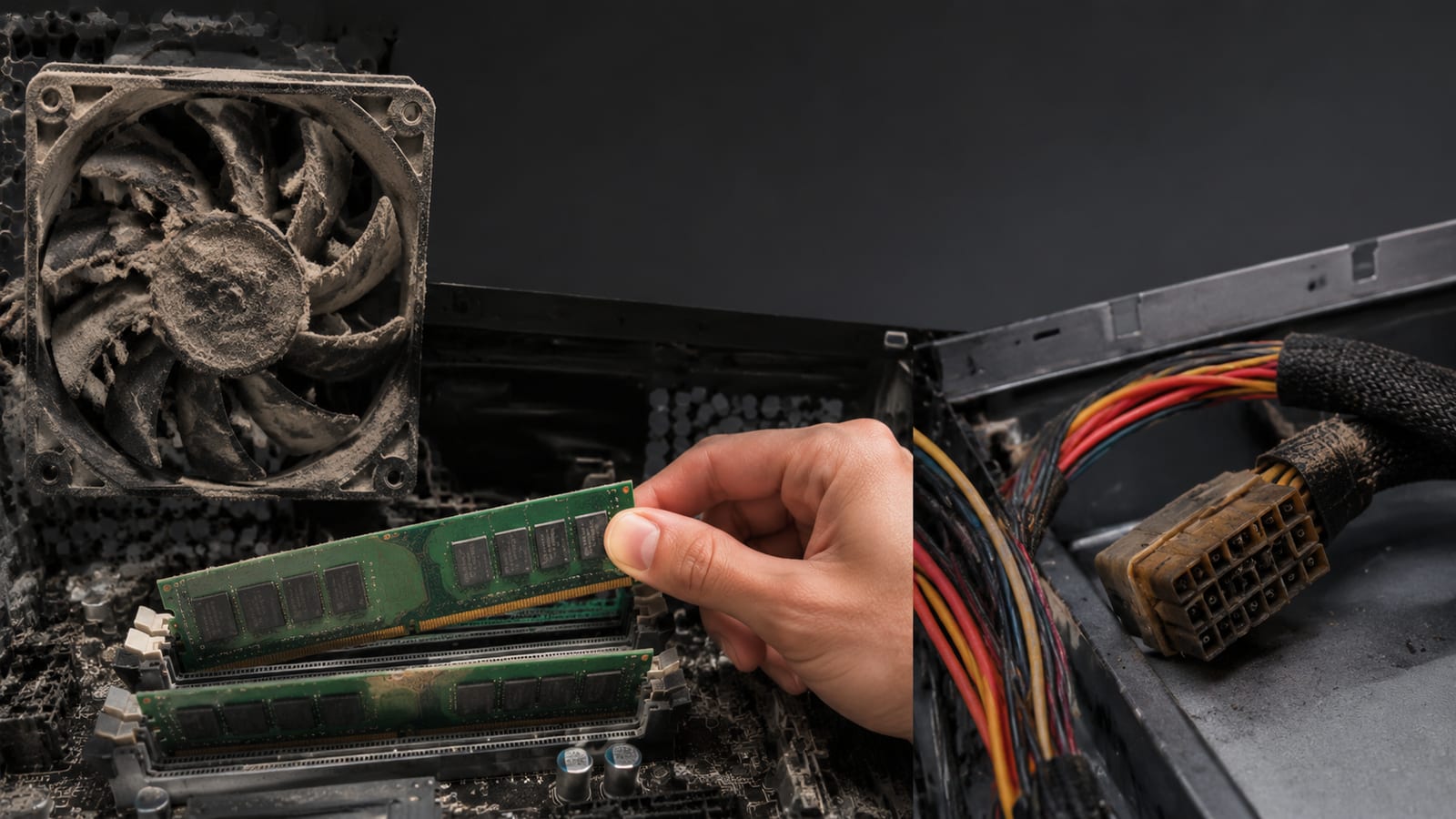
Most Linux panics fall into a few practical groups. Name the group before you change anything, because each group wants a different test.
Hardware faults
Bad memory can change a value the kernel depends on. A failing storage device can return corrupted data. An overheating CPU, unstable power supply, motherboard fault, or firmware problem can also produce failures that look like software bugs.
Random panics with no connection to a kernel update push hardware near the top of the list. Run a memory test outside the installed system, inspect drive health with smartctl, and review machine-check records when the panic mentions them.
Virtual machines don’t escape this category. The guest sees virtual hardware, but the host still depends on physical memory, processors, storage, and firmware. A guest panic can be caused by the guest kernel, the virtual device layer, or the host underneath it.
Bad drivers and kernel modules
A driver runs in kernel space, so one invalid pointer can bring down the machine. This includes built-in drivers, loadable modules, proprietary drivers, and external modules built through DKMS.
The timing matters. If the panic began after a kernel update, boot the previous kernel from GRUB. If the older kernel stays stable, compare the changed kernel, module, firmware, and initramfs before blaming the disk.
Check the module state with:
uname -r
lsmod
dkms status
uname -r tells you which kernel is running. lsmod shows loaded modules. dkms status shows whether external modules were built for that kernel. A module built for an older kernel is not a harmless detail.
Filesystems and storage
A damaged filesystem, failing disk, bad cable, or incorrect device identifier can break the boot path. The kernel may panic because it cannot mount the root filesystem or because storage returned data it cannot trust.
Check the device and filesystem identity before editing boot files:
blkid
findmnt
cat /etc/fstab
blkid reports filesystem types and universally unique identifiers. findmnt shows what is mounted now. /etc/fstab shows what the system expects to mount. Compare those outputs instead of guessing a device name.
A wrong root UUID and a damaged filesystem are different faults. The first needs a boot configuration repair. The second needs a safe filesystem check and possibly storage replacement.
Initramfs and root-device discovery
The initial RAM filesystem, or initramfs, contains the early userspace tools and modules needed to find and mount the real root filesystem. If it is missing, incomplete, or built for the wrong kernel, Linux may panic before the normal system starts.
A failed kernel update can leave the kernel image present while its matching initramfs is broken. On Debian and Ubuntu systems, rebuild it with:
sudo update-initramfs -u
That command rebuilds the initramfs for installed kernels according to the distribution’s configuration. Check its output. If it reports missing modules, failed hooks, or storage errors, fix those errors instead of repeating the command.
For a wider boot-chain investigation, use this Linux boot chain guide.
Kernel bugs, firmware, and incompatible software
A mainline kernel bug can panic a system. So can firmware that returns invalid device data, CPU microcode problems, or software that depends on an interface that changed.
Out-of-tree modules deserve special suspicion because they are not built and tested with the same code as the kernel. A tainted kernel does not prove the module caused the panic, but it gives you a concrete suspect.
The fix may be a kernel rollback, a driver update, a firmware update, or a bug report with a decoded trace. Calling every regression “bad hardware” is as careless as calling every random panic “a driver bug.”
Panic versus an application crash or Windows blue screen
An application crash stays in user space. The kernel can terminate that process, release its resources, and continue serving other processes.
A kernel panic occurs in kernel space. The failed code has access to the machinery that manages the whole system, so the kernel may no longer be able to protect memory, filesystems, or processes.
A Windows blue screen is the closest user-facing comparison. Windows calls this a bug check, and it stops the system after a serious kernel-mode failure. The screen and diagnostic tools differ, but the underlying problem is similar: privileged operating-system code failed and normal execution is no longer safe. Microsoft documents these failures in its bug check code reference.
Unix systems have used “panic” language for fatal kernel failures for decades. Linux inherited that terminology. The name is old; the diagnostic rule is not: get the exact failure message before you reach for a reinstall.
Data risk during a kernel panic
A panic can interrupt a write between the application, filesystem, storage controller, and disk. Journaling reduces some filesystem damage, but it does not make every application write atomic or every storage fault safe.
The risk is higher when the underlying cause is failing storage or memory corruption. Repeated automatic reboots can also make diagnosis harder and repeatedly interrupt recovery work.
If the machine still runs, stop writing important data to the affected filesystem. Copy critical files to known-good storage, preserve the logs, and avoid running repair tools against the only copy of the data.
Before a filesystem check:
- Boot from recovery media or another known-good system.
- Identify the affected device with
lsblkandblkid. - Make sure the filesystem is unmounted.
- Copy or image important data first.
- Run the filesystem’s correct check tool.
- Review the result before mounting it read-write.
A filesystem repair can fix metadata. It cannot recover data that a dying drive has already lost. Backups are what protect the data; fsck is not a backup plan.
Diagnose a kernel panic instead of guessing

Capture the failure first. A reboot that clears the evidence is not a fix.
Read the panic message
If the panic is visible, photograph the screen or capture the console output. Record the first reason line, the call trace, the kernel version, taint flags, and the module names.
If the machine rebooted, check the previous boot:
journalctl -k -b -1
journalctl -b -1 -p err
The first command shows kernel messages from the previous boot. The second limits the output to errors. Add a time range when you know roughly when the failure occurred:
journalctl -k -b -1 --since "a recent period"
On systems that keep the journal only in memory, the previous boot may not exist. Enable persistent storage in /etc/systemd/journald.conf with Storage=persistent, then restart the journal service before the next failure.
Check the kernel ring buffer
While the system is still alive, run:
dmesg -T | tail -50
dmesg reads the kernel ring buffer. The -T flag converts timestamps into readable times. The last lines often show the storage, driver, memory, or machine-check event that came before the panic.
A clean-looking dmesg does not clear the hardware. A panic can happen before the system stores useful output, or a reboot can erase it.
Preserve early-boot evidence
For failures before the root filesystem mounts, use a serial console, netconsole, or a crash dump. kdump starts a small capture kernel after a crash and writes a vmcore that you can inspect with the matching symbols.
A crash dump is more useful than a generic stack trace because it preserves the system state at failure. Configure it before the next panic. If the machine cannot reach storage, send console output to another system instead.
Review recent changes
Write down what changed before the first panic:
- Kernel or firmware update
- New driver or DKMS module
- Hardware replacement or recabling
- Filesystem resize or clone
- Bootloader or initramfs rebuild
- Secure Boot or module-signing change
- New workload that stresses storage, memory, or networking
Then test one change at a time. A rollback is useful because it answers a narrow question. It does not prove the older kernel is a permanent fix.
Trace the surrounding failure
strace cannot trace a kernel panic directly. It traces system calls made by a user-space process. Use it when a service triggers the path that later exposes a kernel or driver problem.
For example:
strace -f -tt -o /tmp/service.trace systemctl restart example.service
The trace shows which system calls completed, which returned an error, and where the service stopped. Pair that with journalctl, dmesg, and the panic trace. A user-space symptom is not the same thing as the kernel fault.
For a broader workflow, see this guide to Linux kernel failure debugging.
Fix the cause, not the panic symptom
Fix the cause you can reproduce. Do not start by deleting kernel files, wiping package databases, or disabling security controls.
Use this order:
- Capture the evidence. Save the panic line, call trace, kernel version, taint flags, and previous-boot logs.
- Boot a known-good kernel. Select an older entry in GRUB if the failure began after an update.
- Separate hardware from software. Test memory, storage health, temperatures, cables, and firmware.
- Isolate modules. Boot with a suspected module disabled, then confirm whether the failure disappears.
- Repair the boot path. Rebuild the initramfs and check the root device, UUID, filesystem support, and boot parameters.
- Repair storage safely. Work from recovery media, preserve important data, and check unmounted filesystems.
- Update or roll back the responsible component. Use a matching kernel, headers, module, firmware, and configuration.
- Reproduce the failure. Run the workload or boot path that triggered it and watch the logs.
- Document the root cause. Record the bad module, failed device, kernel change, or configuration error.
If the failure comes from an external module, rebuild it against the running kernel:
sudo dkms autoinstall
dkms status
If it loads during boot and blocks startup, temporarily add module_blacklist=module_name to the kernel command line in GRUB. Replace module_name with the actual module name. This is a diagnostic step, not a final repair.
A blacklist that makes the machine boot tells you the module is involved. It does not tell you whether the module is broken, incompatible, or exposing bad hardware. Check the logs and test the device before making the workaround permanent.
Recover a Linux system that will not boot
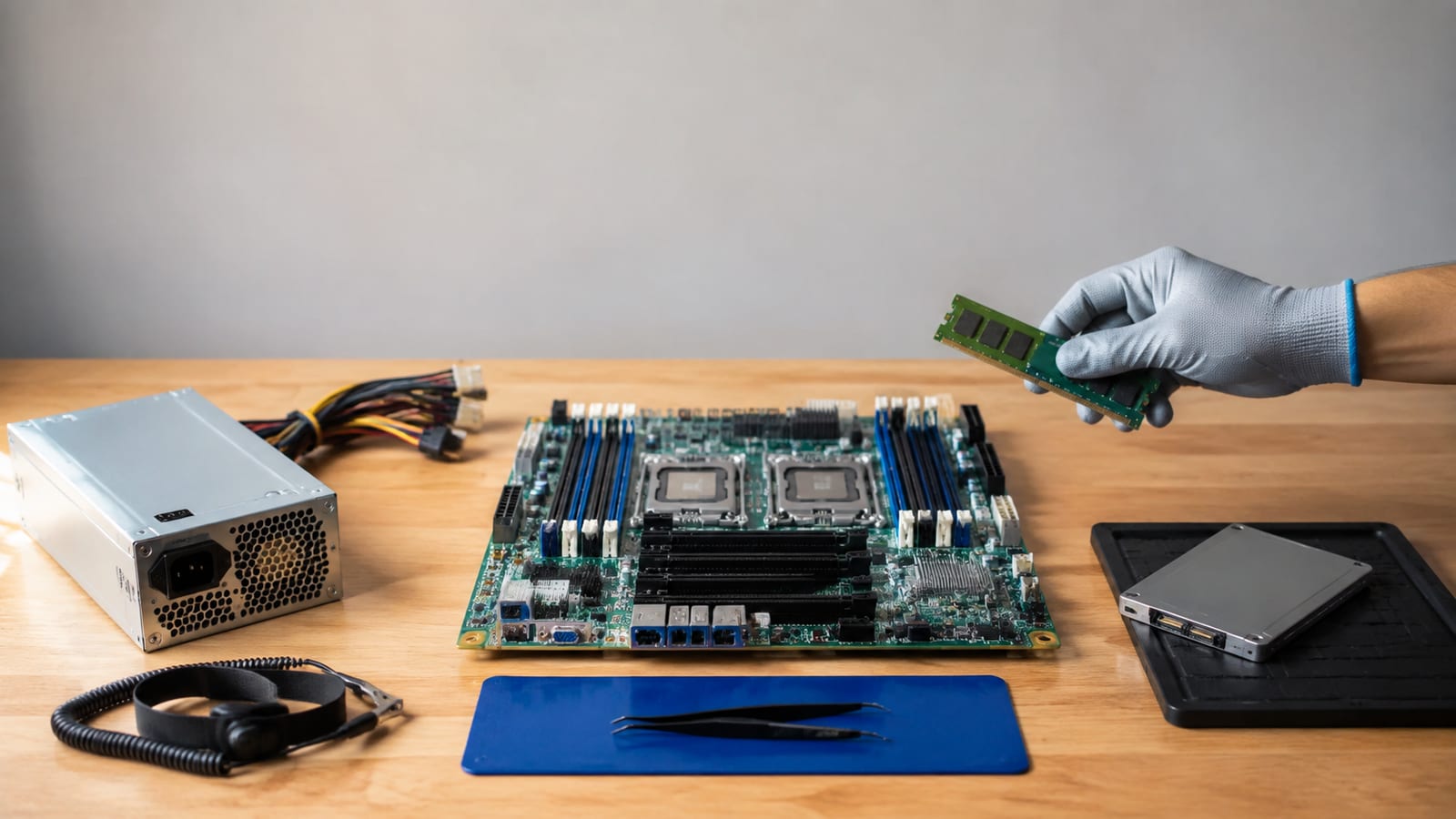
Get a shell before reinstalling. A system that fails because of one bad module, UUID, or initramfs does not need to be erased.
At the GRUB menu, select a previous kernel or recovery mode. If that fails, boot a live system and inspect the installed system from there.
The recovery sequence is:
- Identify the root and boot partitions with
lsblk -f. - Mount the installed root filesystem read-only first.
- Mount the boot and EFI partitions at their correct paths if needed.
- Check
/etc/fstabagainst the actual UUIDs fromblkid. - Inspect the installed kernel and initramfs files.
- Rebuild the initramfs from a chroot if it is missing or damaged.
- Disable the suspected module without deleting it.
- Check the root filesystem while it is unmounted.
- Preserve logs and panic output before rebooting.
From a Debian or Ubuntu recovery shell, an initramfs rebuild may look like this:
sudo mount -o remount,rw /
sudo update-initramfs -u -k all
sudo update-grub
Use the commands your distribution provides. Don’t run a Debian-specific repair command on another distribution and call the result a Linux fix.
If the root device cannot be found, inspect the kernel command line and bootloader configuration. A stale UUID, missing storage driver, damaged initramfs, or unsupported filesystem can all produce a root-mount panic. The message usually tells you which branch to investigate.
If the panic began after installing a third-party module, remove or disable that module only after recording its name and package details. You may need that evidence to fix the build or report the bug.
Prevent the next panic
A successful boot is not proof of a successful repair. Reproduce the original trigger and watch for the same kernel errors.
Use fault-specific validation:
- Run a memory test after a memory-related panic.
- Monitor drive health after storage errors.
- Repeat the workload after a driver panic.
- Boot several times after an initramfs repair.
- Check
journalctl -k -bfor new warnings. - Confirm the expected module and kernel are loaded.
- Test temperatures and power under the workload that caused the failure.
- Keep a known-good kernel available during updates.
Keep persistent journal logs and configure kdump on machines where the panic matters. For remote systems, configure a serial console or netconsole before the next crash. A server that reboots silently is not healthy; it is hiding the evidence.
Control kernel and module changes. Update the kernel, external modules, firmware, and headers as a tested set. Keep a record of the change and the rollback path.
Back up data before repair work, and test that you can restore it. The panic may be fixed while the disk remains one interrupted write away from failure.
FAQ
Can a kernel panic fix itself after a reboot?
No. A reboot can clear a temporary state, but it does not repair the code, driver, hardware, or filesystem that caused the panic. Treat a successful reboot as a clue, then check the previous boot logs and recent changes.
Can a kernel panic happen because of low disk space?
Yes, especially when the full filesystem prevents logs, temporary files, initramfs files, or package updates from being written. Check space on /, /var, and /boot before changing kernels. A full filesystem usually leaves supporting errors in the journal.
Does a kernel panic always mean the hardware is failing?
No. Bad drivers, kernel regressions, broken initramfs files, and incorrect root-device settings can all panic Linux. Hardware becomes more suspicious when failures are random, temperature-dependent, or accompanied by memory, machine-check, or storage errors.
Can containers cause a kernel panic?
A container cannot isolate you from a kernel bug. Containers share the host kernel, so a faulty host driver, filesystem, network path, or kernel subsystem can panic every container and the host together. Check host kernel logs rather than searching only inside the affected container.
Should you disable automatic reboot after a panic?
Disable it while diagnosing if you need to read the console or preserve the failure state. Automatic reboot is reasonable for some unattended systems, but configure persistent logs or kdump first. Otherwise, the machine will keep restarting and deleting the best evidence each time.
