


How to Choose a Hosting Panel for Ubuntu
CloudPanel is the best hosting panel for Ubuntu when one server runs websites and mail lives elsewhere. It supports Ubuntu 24.04 and keeps the stack to NGINX, PHP-FPM, and MySQL. Choose DirectAdmin for paid multi-account hosting, Plesk for managed WordPress, and Virtualmin when the box must also own mail and DNS.
Last updated: 2026-11-11
What is the best hosting panel for Ubuntu?
CloudPanel is my first pick for a single Ubuntu web server. It stays focused on sites, certificates, PHP, and databases. That narrow scope keeps the server easier to read when something breaks.
However, CloudPanel has no built-in mail server. That’s usually a good design choice because mail is its own operational mess. If you need local mailboxes, spam filtering, DNS zones, and reseller accounts, choose DirectAdmin or Virtualmin instead.
Use this split. Choosing a panel with the wrong scope leaves you maintaining the missing half by hand.
| Panel | Best fit | Ubuntu position | Main catch |
|---|---|---|---|
| CloudPanel | One VPS running web applications | Ubuntu 24.04 is an installation platform for CloudPanel v2 | No built-in mail hosting |
| DirectAdmin | Paid multi-account hosting | Supports Ubuntu 24.04 | Smaller extension ecosystem |
| Plesk | WordPress-heavy client servers | Ubuntu 24.04 is a supported example for Plesk Obsidian | Paid tiers add up |
| Virtualmin | Admins who want mail, DNS, and visible configuration | Verify the release before installing on a new Ubuntu version | More configuration lands on you |
| cPanel and WHM | Reseller hosting with established cPanel workflows | Ubuntu support depends on the exact cPanel release | $29.99 per month for one account |
| CWP | Budget servers using the AlmaLinux family | CWP supports installation on AlmaLinux 9 | Leave it off an Ubuntu shortlist |
The best hosting control panel depends on what the machine must own. A web-only VPS and a reseller server are different jobs, even if both host WordPress.
A hosting panel owns more than a dashboard
A Linux web hosting control panel creates sites, virtual hosts, databases, users, certificates, scheduled jobs, and backups. Full hosting suites also manage mailboxes, DNS zones, quotas, and customer accounts.
That control comes with a cost. The panel now owns configuration under /etc, installs systemd units, opens ports, and decides how PHP and the web server are laid out. Editing generated files by hand may work until the next panel update writes over them. A friendly screen doesn’t make that ownership disappear.
Before installing anything, decide which system owns each service. If you can’t answer that cleanly, the installer will answer it for you.
- Web server and PHP versions
- Database creation and credentials
- Transport Layer Security certificates
- Domain Name System records
- Mailboxes and outbound mail
- Backups and off-server restores
- Firewall rules and login protection
- Operating system and panel updates
If the answer is “the panel” for most of that list, keep its installer on a clean server. Mixing an existing hand-built NGINX stack with a panel installer is how you get duplicate services, occupied ports, and a long evening with journalctl.
If you’re still choosing between shared hosting and a server you control, settle the shared hosting versus VPS question first. A root-level panel only makes sense when you own the operating system.
The panels I would actually use
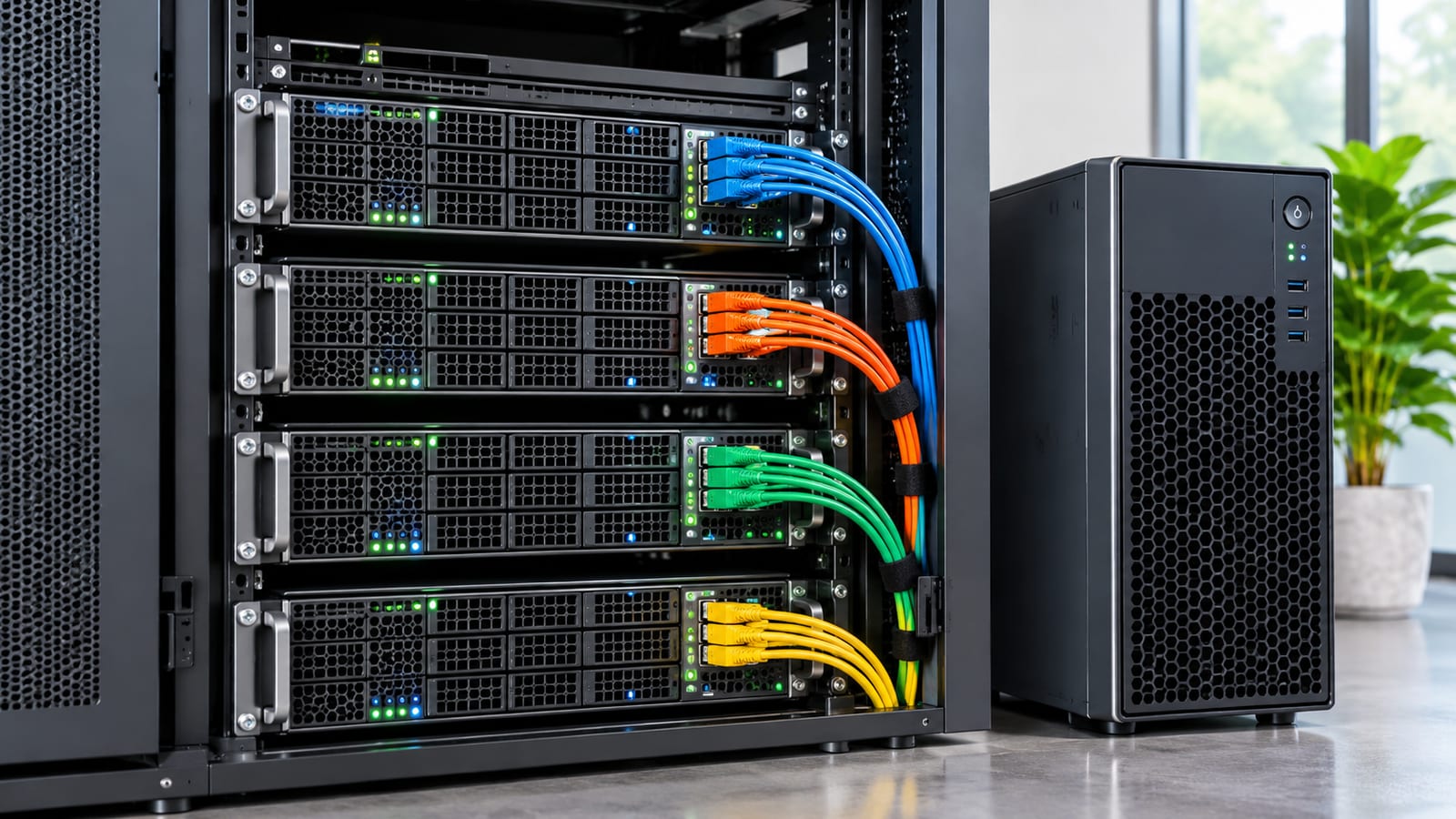
CloudPanel is the cleanest Ubuntu choice for web-only hosting. CloudPanel v2 can be installed on Ubuntu 24.04. Its stack uses NGINX, PHP-FPM, and MySQL, which is a sensible base for PHP sites and web applications.
I’d run it when external services already handle mail and authoritative DNS. However, I wouldn’t bolt a separate mail stack onto the same box and pretend the result is still easy to maintain. If local mail is a requirement, start with a panel designed to own it.
DirectAdmin is the practical paid choice for multi-account Ubuntu hosting. It supports Ubuntu 24.04 and provides the account, reseller, mail, DNS, and site controls people expect from a traditional Linux hosting control panel. Its Standard license has been listed at $29 per month.
The ecosystem is smaller than cPanel’s, so obscure migration problems may require more work. Still, DirectAdmin gives you the hosting features without making cPanel’s conventions the centre of the server.
Plesk makes sense for managed WordPress and client handoff. Ubuntu 24.04 is listed as an example of a supported operating system for a server running Plesk Obsidian. The Web Pro plan covers up to 30 accounts at $26.00 per month.
Its WordPress tooling is the main reason to pay for it. If you aren’t using those management features, you’re buying a large suite to solve a smaller job.
Which full-service panel fits?
Virtualmin is for admins who still want to see the machinery. It builds hosting management around Webmin and exposes much more of the underlying Linux configuration. That’s useful when you need mail, DNS, databases, and virtual servers without hiding every file behind a proprietary workflow.
Check the live support status before using a newly released Ubuntu version. Ubuntu 24.04 support was still being added in published development work at one point. An installer that “mostly works” is a poor foundation for a production server.
cPanel and WHM remains the reseller default. It has deep documentation, familiar account separation, and a large support ecosystem. Its Solo license is hard to justify on a personal VPS.
cPanel’s documented platforms have included Ubuntu long-term support releases such as 22.04 and AlmaLinux 9. However, its strongest footing remains the enterprise Linux family. Check the live operating system matrix before creating the VPS because panel support changes faster than server habits do.
CWP belongs on AlmaLinux, not Ubuntu. CWP supports installation on AlmaLinux 9, while CWPpro costs $1.49 monthly or $11.99 per year. That price is attractive, but it doesn’t fix an operating system mismatch.
For an existing Ubuntu VPS, skip CWP. Rebuilding the server around a cheap license is the tail wagging the machine.
Ubuntu compatibility is a release-level decision
Never assume that “supports Ubuntu” includes the release you installed this morning. Panels depend on exact versions of PHP, Python, OpenSSL, systemd, database packages, and package repositories. A new Ubuntu release can change enough of that stack to break an installer before its first login page appears.
The right order is:
- Choose the panel.
- Read its current operating system support page.
- Create a clean VPS using an explicitly supported Ubuntu release.
- Apply operating system updates.
- Take a provider snapshot.
- Run the official installer.
- Reboot and inspect failed units before adding sites.
Do not install the panel first and read the compatibility notes after it fails. By then, the installer may have replaced packages and written half a configuration.
Also check whether support means a fresh installation or only a migration target. Those are different promises. A panel may run correctly after an in-place operating system upgrade while refusing fresh installs on that same release.
Inspect the VPS before installing anything
Run these checks before handing the server to a panel installer:
cat /etc/os-release
systemd-detect-virt
free -h
df -hT
ss -tulpn
systemctl --failed
cat /etc/os-release tells you the exact Ubuntu release. Compare that output with the panel’s live support list.
systemd-detect-virt identifies the virtualization layer. I prefer Kernel-based Virtual Machine hosting because the guest has a proper kernel boundary and fewer provider-specific restrictions. The KVM and OpenVZ comparison explains why that difference matters.
free -h and df -hT expose a VPS that is already short on memory or disk. Meanwhile, ss -tulpn shows which processes own listening ports. An existing NGINX, Apache, MySQL, or mail service may collide with the installer.
Finally, systemctl --failed lists units that are already broken. Fix those first. A panel installer is poor diagnostic equipment.
The features that decide the choice
Ignore the feature count. Panel vendors can turn every checkbox into three bullets, but the hard parts remain backups, restores, isolation, updates, and failure handling.
Backups need a restore path
Check whether the panel sends backups off the VPS. A local archive disappears with the disk it was meant to protect.
Then restore one site onto a clean test server. Confirm the files, database, scheduled jobs, certificate settings, and mail data where applicable. A green “backup complete” message only proves that an archive exists.
Certificates need visible renewal failures
Most panels can request certificates through the Automated Certificate Management Environment standard. The useful difference is how they report failures.
Look for renewal logs, retry behaviour, wildcard support if you need it, and a clear warning when Domain Name System validation fails. Silent certificate renewal is pleasant until it silently stops.
User isolation matters on multi-account servers
A reseller panel should separate customers at the filesystem, process, database, and PHP worker levels. One compromised site must not get a readable path into every other customer account.
CloudPanel fits a trusted single-owner server better than a hostile shared-hosting environment. DirectAdmin, Plesk, and cPanel are built around stronger account separation, though the final result still depends on how you configure PHP and file permissions.
Updates must be boring
Find out which updates the panel owns and which remain your job. Pay close attention to PHP, the database server, NGINX or Apache, mail services, and the panel itself.
After updates, run:
systemctl --failed
journalctl -b -p err
The first command names failed systemd units. The second shows errors from the current boot. Read that output before blaming the panel’s web interface.
WordPress, Docker, and monitoring need separate judgment
For WordPress, Plesk earns its keep when you manage many client sites and need staging, updates, and controlled access from one interface. CloudPanel is leaner when you’re comfortable managing the application layer yourself. DirectAdmin sits between those two approaches.
Docker support is often oversold. A button that launches a container doesn’t tell you who owns its volumes, network, certificate, backups, or upgrades. If containers are the main workload, use a container management tool and keep the hosting panel away from those ports.
The same caution applies to “AI-powered” monitoring. Ask what data it reads, where that data goes, and what action follows an alert. If the feature can’t point you to a failed systemd unit, a log entry, or a process using the file descriptor, it’s an expensive notification generator.
For real diagnosis, I still start here:
journalctl -u nginx --since today
journalctl -u php8.3-fpm --since today
dmesg -T | tail -20
The unit names vary by installation, so confirm them with systemctl list-units. These commands tie the failure to a service and the current day. That tells you more than a dashboard gauge turning red.
Free and paid panels fail differently
A free panel can be the right choice for one administrator and a small set of sites. CloudPanel is strong here because its scope is narrow. Virtualmin is also useful when you want broad server control and can read the configuration it produces.
However, free software still has an operating cost. You own upgrades, compatibility checks, security notices, and recovery. If the documentation stops before the problem gets strange, you’ll be reading logs and package scripts from the source.
Paid panels earn their fee through predictable releases, migration tools, account delegation, and support. They become wasteful when one person hosts a few sites and never touches the reseller features.
Resource use also matters. Don’t judge it from an idle dashboard. Watch memory, disk input and output, and load during a full backup, malware scan, log rotation, and certificate renewal. Use the server RAM sizing guide before choosing a VPS around a panel’s minimum requirement.
A smaller stack also uses fewer resources and creates fewer services to patch. That’s the useful sustainability argument. Marketing badges don’t reduce a process list.
Migration is where panel choice becomes permanent
Test migration with low-risk sites before moving the important account. Panel importers handle common files and databases well, but mail filters, forwarders, scheduled jobs, custom PHP settings, and external DNS records are where assumptions surface.
Use this order:
- Inventory sites, databases, mailboxes, DNS records, certificates, and scheduled jobs.
- Build the new panel on a clean supported server.
- Migrate a small account.
- Compare files and database content.
- Send and receive real mail if the panel owns mail.
- Test the site through a temporary hosts-file entry.
- Switch DNS only after the new server passes those checks.
- Keep the old server available until backups and scheduled jobs have run successfully.
For a cPanel migration, verify mail before touching public DNS. A website can look complete while forwarders and filters are missing. The first report will come from the person whose invoice disappeared.
Also check what the importer does with passwords. Some panels can preserve password hashes between compatible services. Others require resets. You need that answer before customers do.
Security and privacy remain your job
A Linux server control panel increases the attack surface because it adds an internet-facing administrative service. Restrict that login by firewall or virtual private network where practical. Enable multi-factor authentication, remove unused accounts, and review failed logins.
Then check the panel’s update process and security notices. Ubuntu continues to need operating system updates underneath the panel. A current panel on an unpatched kernel is still an unpatched server.
For privacy and compliance, map every place customer data leaves the VPS. If you don’t know where a service sends it, don’t enable that service yet.
- Panel telemetry
- Remote backup storage
- Mail filtering services
- Malware scanning
- Monitoring and alerting
- External DNS providers
- Certificate transparency logs
Accessibility matters too, especially when customers use the panel. Test keyboard navigation, labels, contrast, and error messages during the trial. A dense reseller interface that requires a mouse creates support tickets you’ll own for years.
Who should skip a panel entirely?
Skip the panel if you run a small number of applications from reproducible configuration and already manage deployments through code. Ansible, containers, or a documented NGINX setup may be easier to rebuild than a panel-managed server.
A panel earns its place when other people need delegated access or when repeated hosting work is consuming admin time. It also helps when customer accounts need consistent quotas, mailboxes, databases, and certificates.
For one static site, a Linux hosting control panel adds services, update channels, and another privileged login. For a reseller server, doing all account work by hand is its own failure mode.
CloudPanel remains the best hosting panel for Ubuntu in the common single-server, web-only case. DirectAdmin is the better choice when the server must behave like a traditional hosting business, while Virtualmin suits the admin who wants full services and visible Linux configuration.
FAQ
Can I install a hosting panel on an existing Ubuntu server?
Don’t do it on a server you care about. Most panel installers expect a clean operating system and may replace web, database, PHP, firewall, and mail configuration.
Take a backup, create a fresh VPS, and migrate the applications after the panel is working. If you must reuse the machine, read the installer package list and run ss -tulpn first so you know which ports are already occupied.
Should authoritative DNS run on the same VPS?
Keep authoritative DNS off the only VPS serving the site. If that machine also provides the only nameserver, one outage can remove both the site and the records needed to find it.
Make sure the panel can update your chosen DNS service or export complete zones. Test the export and restore before migration day, while a mistake is still cheap.
Can two hosting panels share one Ubuntu server?
No useful result comes from that setup. Both panels will try to own the same ports, packages, users, web server files, and databases.
Use separate virtual machines if you need to compare panels. Take a clean snapshot before each installer so one panel’s package changes don’t contaminate the next test.
How do I check whether a panel backup is complete?
A backup is complete only after it restores onto another server. Verify the website, database, scheduled jobs, users, and application secrets from the restored copy.
For mail-enabled panels, check messages, folders, aliases, filters, and forwarders as separate items. Archive size can’t tell you whether any of those survived.
Is a control panel enough to secure an Ubuntu VPS?
No. The panel adds another privileged login and update channel, so you still need operating system updates, restricted administrative access, off-server backups, log review, and a tested recovery path.
Use journalctl, the panel’s audit log, and your firewall logs together. Tie each alert to a login, process, or network connection before you decide what happened.
